Live editor
Edit side-by-side to your live site
The preview view becomes a live editor: Your fields on one side, the rendered page on the other. Changes show up in the preview while you type, links in the preview take the editor along, and you can move the preview to a second window or check it in different viewport sizes.
Simpler blueprints
Less nesting, one concept: fields
Blueprints in Kirby 6 become a lot easier to handle with need less nesting and fewer concepts. Define your fields once at the top of a blueprint and place them in tabs and columns by name.
Sections are gone: lists of pages and files are regular fields now and can be placed next to other fields with width, like everything else in your form. Your existing blueprints keep working, because Kirby converts their sections into fields automatically.
title: Blog

fields:
  intro:
    type: textarea
  cover:
    type: filepicker
  articles:
    type: pagelist
    templates: article
    layout: table
    search: true

columns:
  - width: 2/3
    fields:
      - intro
      - articles
  - width: 1/3
    fields:
      - cover
Passkeys & two-factor auth
Safer logins without the hassle
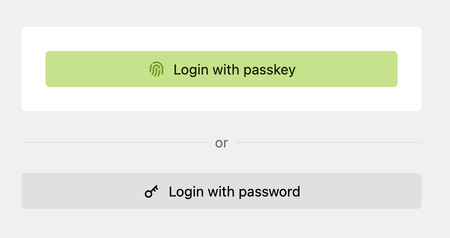
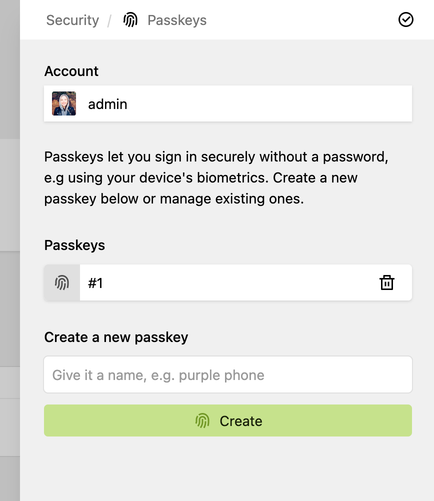
Log into the Panel with a passkey: a fingerprint, Face ID or a hardware key instead of a password. Every user can now set up their own second factor (passkey, auth app or code via email), without you having to enforce two-factor authentication for the whole team. A new password policy option and a security drawer that bundles all of this round it off.
Buttons field
Actions right inside your forms
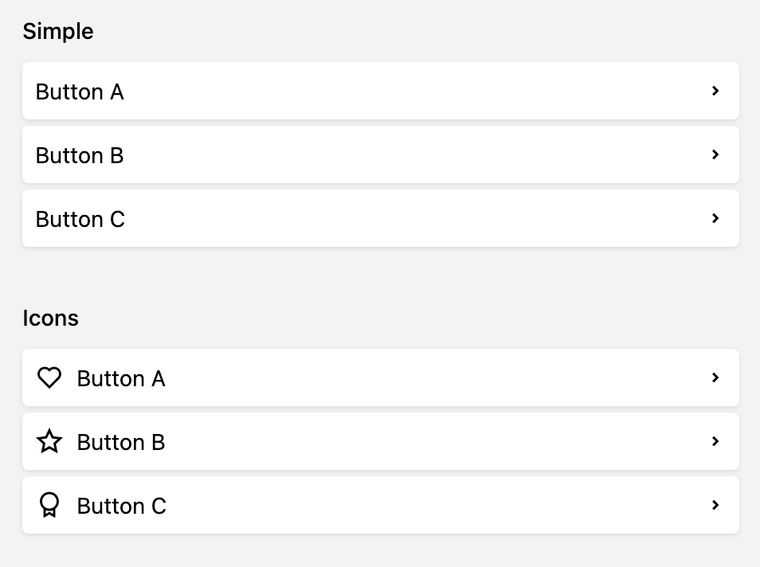
The new buttons field adds a list of buttons to any blueprint. Each button opens a link, a Panel dialog or a drawer, so editors find shortcuts and custom actions exactly where they work on the content.
Template stacks
Push output and render it anywhere
Snippets and templates can push output onto a named stack and render that stack somewhere else, e.g. collect the CSS of all your block snippets in the <head>.
Pushing and rendering don't depend on each other, so their order doesn't matter.
<head>
  <?php stack('head') ?>
</head><?php push('head') ?>
<?= css('assets/css/custom.css') ?>
<?php endpush() ?>
<h1><?= $page->title() ?></h1>
<!-- the main code for the template -->
<?php push('footer') ?>
<?= js('assets/js/custom.js') ?>
<?php endpush() ?> <?php stack('footer') ?>
</body>Guards
One place to ask “can I do this?”
// abilities + permissions, e.g. to decide whether to show a button
if ($page->guards()->isAvailable('delete')) {
    // …
}

// also validates the input for the action
$page->guards()->isExecutable('changeTitle', $title);

// throws an exception that explains why the action is blocked
$page->guards()->ensureExecutable('changeSlug', $slug);
Every site, page, file, user and language has a new guards() method. It answers whether an action is possible at all, whether the current user is allowed to run it and whether the input is valid.
The Panel uses it to enable the right buttons and to explain why an action is blocked, and you can use it in your own templates and plugins.
Better errors in the Panel
Errors that help you fix them
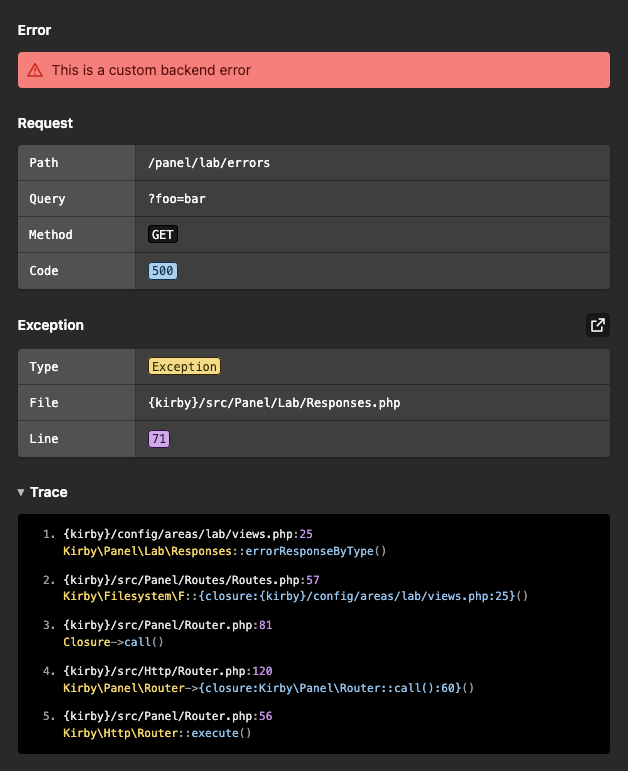
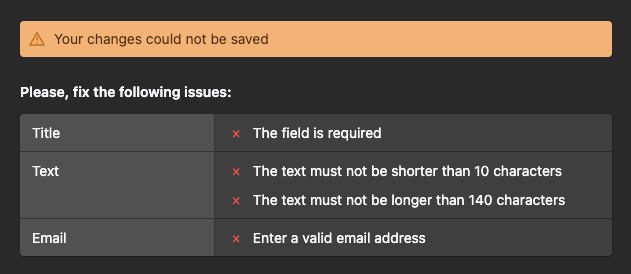
When something goes wrong in the Panel, Kirby 6 tells you what happened and where. New error dialogs show the failed request, the exception and its stack trace in debug mode, and can open the file right in your code editor. Validation problems are listed per field, and a single broken field no longer takes down the whole view.
A modern foundation
Ready for the next years, from PHP to the Panel
We have renewed Kirby's foundation for the years ahead. The core builds on a modern PHP baseline with a clearer architecture. The Panel runs on Vue 3, its core is written in TypeScript and its components only render HTML that has been marked as trusted.
On top of that, Kirby does less work on every request and the Panel got a lot faster. Your editors will notice it most in complex setups that load and react noticeably quicker.
And so much more
Details that deliver
-
Content negotiation
Serve the Markdown or JSON representation of a page based on the Accept header of the request, no file extension in the URL needed. →
-
Smarter queries
Kirby queries support logical not and negative values, and several parsing bugs have been fixed. →
-
Date formats with text
Add your own words to the display format of date and time fields and see an example as placeholder. →
-
Easier date input
Date fields read your input in their own format and understand month names in English and the Panel language. →
-
Upload in the file picker
Drop files onto the file picker dialog to upload and select them in one go. →
-
Unsaved changes at a glance
Field labels are highlighted as long as the field has unsaved changes. →
-
Copy from disabled fields
Select and copy the values of disabled fields. →
-
Sharper image block previews
Image and gallery blocks load properly sized thumbnails that respect the ratio and crop settings of the block. →
-
More MIME types
Kirby knows more file types, from WebAssembly to WebVTT subtitles and web app manifests. →
-
Disable core Panel features
Plugins can remove any core dialog, drawer, dropdown, search, request or view of a Panel area. →
Curious about all enhancements, fixes and breaking changes?