# Managing users

The Kirby Panel has a powerful user management section with user roles that makes it possible to add any number of Panel and frontend users and edit their account data.

****

<info>
It is not recommended to use a single user for multiple people working in parallel as this may cause issues with people overwriting each other's work. For collaborative editing you should always create one user account per person. This way Kirby can keep track of who is editing what and you can configure user permissions if you need to down the road.
</info>

## Create new user

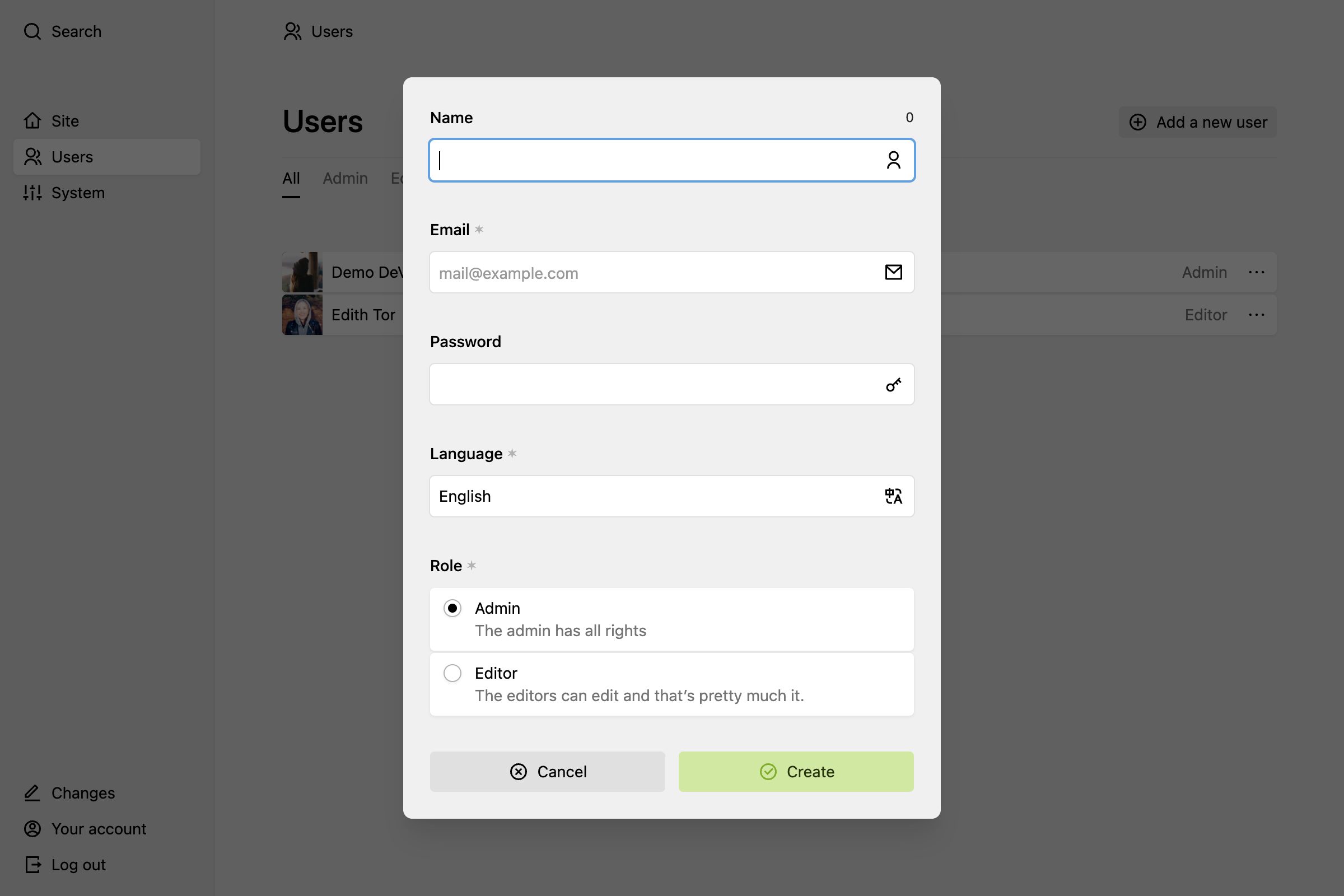
Open the menu and click on "Users". You will find the "Add a new user" button in the top left corner, which will take you to a fresh user form. Fill in all required information and hit "Create" to add the new user.

<figure class="image"><a data-lightbox href="https://assets.getkirby.com/media/pages/docs/guide/users/managing-users/0c48035b2e-1717846665/create.png?width=2400&amp;height=1600&amp;enlarge=0"><img alt="" class="rounded" height="616" loading="lazy" sizes="auto" src="https://assets.getkirby.com/media/pages/docs/guide/users/managing-users/0c48035b2e-1717846665/create.png?width=924&amp;height=616&amp;enlarge=0" srcset="https://assets.getkirby.com/media/pages/docs/guide/users/managing-users/0c48035b2e-1717846665/create.png?width=462&amp;height=308&amp;enlarge=0 462w, https://assets.getkirby.com/media/pages/docs/guide/users/managing-users/0c48035b2e-1717846665/create.png?width=690&amp;height=460&amp;enlarge=0 690w, https://assets.getkirby.com/media/pages/docs/guide/users/managing-users/0c48035b2e-1717846665/create.png?width=924&amp;height=616&amp;enlarge=0 924w, https://assets.getkirby.com/media/pages/docs/guide/users/managing-users/0c48035b2e-1717846665/create.png?width=1380&amp;height=920&amp;enlarge=0 1380w, https://assets.getkirby.com/media/pages/docs/guide/users/managing-users/0c48035b2e-1717846665/create.png?width=1848&amp;height=1232&amp;enlarge=0 1848w" width="924"></a></figure>

## User options

On the "Users" page, click on the option icon next to the user to open the dropdown with options for the user.

## Rename user

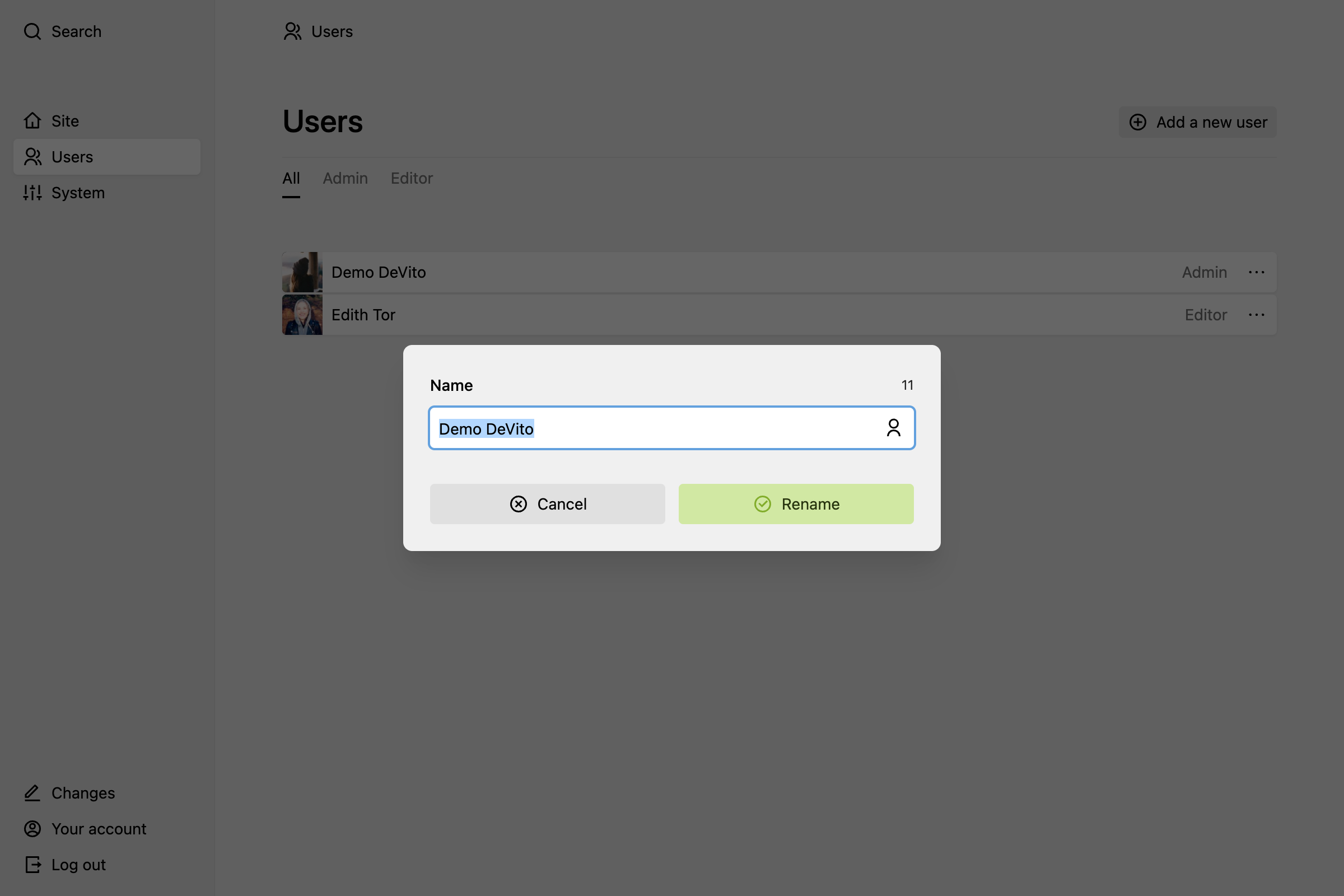
Users are identified by their email address by default, but you can also assign a more recognizable name. That can be a full name or just a nick name. It's up to you and your team.

<figure class="image"><a data-lightbox href="https://assets.getkirby.com/media/pages/docs/guide/users/managing-users/4bece00165-1717846665/change-name.png?width=2400&amp;height=1600&amp;enlarge=0"><img alt="" class="rounded" height="616" loading="lazy" sizes="auto" src="https://assets.getkirby.com/media/pages/docs/guide/users/managing-users/4bece00165-1717846665/change-name.png?width=924&amp;height=616&amp;enlarge=0" srcset="https://assets.getkirby.com/media/pages/docs/guide/users/managing-users/4bece00165-1717846665/change-name.png?width=462&amp;height=308&amp;enlarge=0 462w, https://assets.getkirby.com/media/pages/docs/guide/users/managing-users/4bece00165-1717846665/change-name.png?width=690&amp;height=460&amp;enlarge=0 690w, https://assets.getkirby.com/media/pages/docs/guide/users/managing-users/4bece00165-1717846665/change-name.png?width=924&amp;height=616&amp;enlarge=0 924w, https://assets.getkirby.com/media/pages/docs/guide/users/managing-users/4bece00165-1717846665/change-name.png?width=1380&amp;height=920&amp;enlarge=0 1380w, https://assets.getkirby.com/media/pages/docs/guide/users/managing-users/4bece00165-1717846665/change-name.png?width=1848&amp;height=1232&amp;enlarge=0 1848w" width="924"></a></figure>

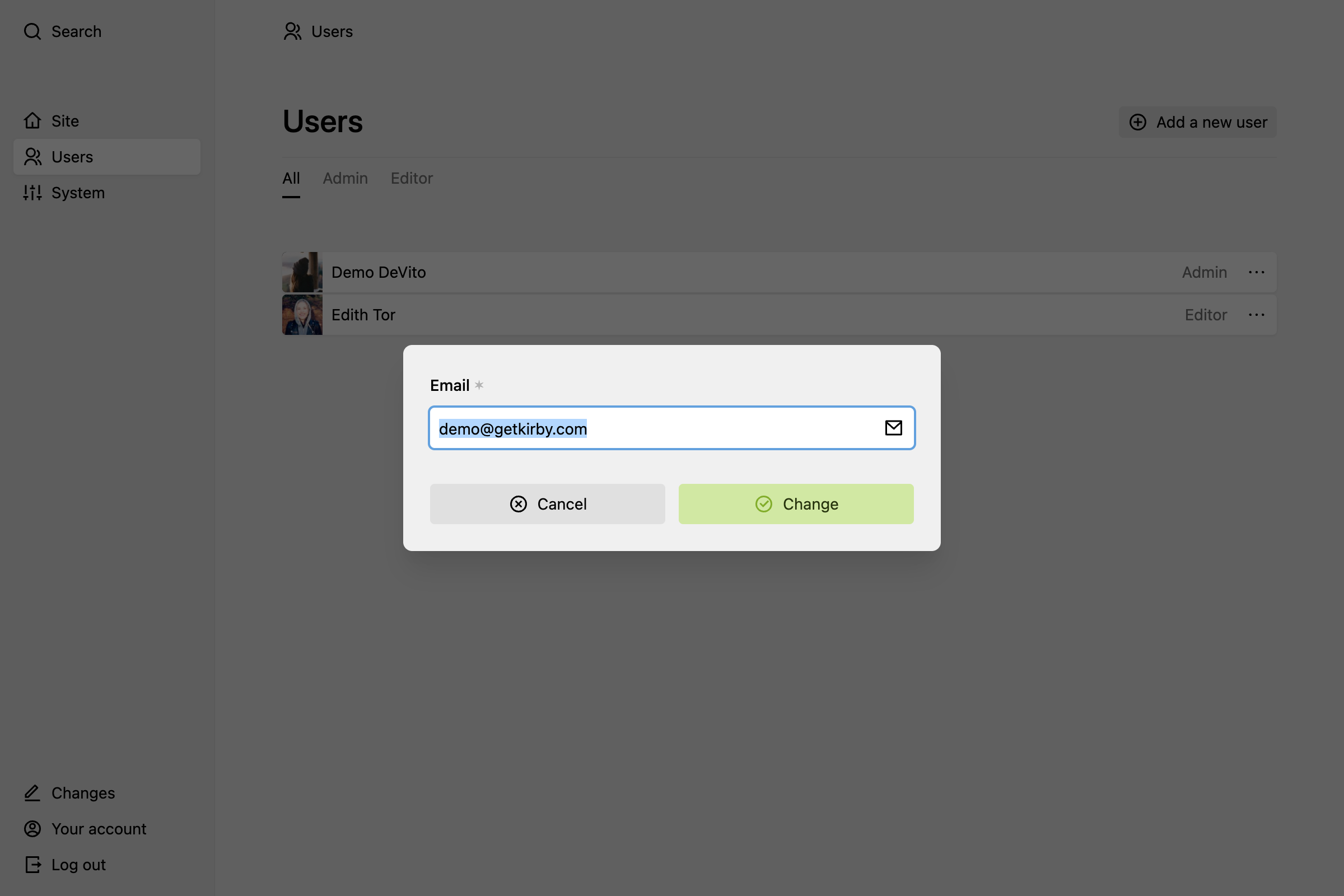
## Change user email

<figure class="image"><a data-lightbox href="https://assets.getkirby.com/media/pages/docs/guide/users/managing-users/8d8f9549c2-1717846665/change-email.png?width=2400&amp;height=1600&amp;enlarge=0"><img alt="" class="rounded" height="616" loading="lazy" sizes="auto" src="https://assets.getkirby.com/media/pages/docs/guide/users/managing-users/8d8f9549c2-1717846665/change-email.png?width=924&amp;height=616&amp;enlarge=0" srcset="https://assets.getkirby.com/media/pages/docs/guide/users/managing-users/8d8f9549c2-1717846665/change-email.png?width=462&amp;height=308&amp;enlarge=0 462w, https://assets.getkirby.com/media/pages/docs/guide/users/managing-users/8d8f9549c2-1717846665/change-email.png?width=690&amp;height=460&amp;enlarge=0 690w, https://assets.getkirby.com/media/pages/docs/guide/users/managing-users/8d8f9549c2-1717846665/change-email.png?width=924&amp;height=616&amp;enlarge=0 924w, https://assets.getkirby.com/media/pages/docs/guide/users/managing-users/8d8f9549c2-1717846665/change-email.png?width=1380&amp;height=920&amp;enlarge=0 1380w, https://assets.getkirby.com/media/pages/docs/guide/users/managing-users/8d8f9549c2-1717846665/change-email.png?width=1848&amp;height=1232&amp;enlarge=0 1848w" width="924"></a></figure>

## Change user role

<figure class="image"><a data-lightbox href="https://assets.getkirby.com/media/pages/docs/guide/users/managing-users/cd383bb242-1717846665/change-role.png?width=2400&amp;height=1600&amp;enlarge=0"><img alt="" class="rounded" height="616" loading="lazy" sizes="auto" src="https://assets.getkirby.com/media/pages/docs/guide/users/managing-users/cd383bb242-1717846665/change-role.png?width=924&amp;height=616&amp;enlarge=0" srcset="https://assets.getkirby.com/media/pages/docs/guide/users/managing-users/cd383bb242-1717846665/change-role.png?width=462&amp;height=308&amp;enlarge=0 462w, https://assets.getkirby.com/media/pages/docs/guide/users/managing-users/cd383bb242-1717846665/change-role.png?width=690&amp;height=460&amp;enlarge=0 690w, https://assets.getkirby.com/media/pages/docs/guide/users/managing-users/cd383bb242-1717846665/change-role.png?width=924&amp;height=616&amp;enlarge=0 924w, https://assets.getkirby.com/media/pages/docs/guide/users/managing-users/cd383bb242-1717846665/change-role.png?width=1380&amp;height=920&amp;enlarge=0 1380w, https://assets.getkirby.com/media/pages/docs/guide/users/managing-users/cd383bb242-1717846665/change-role.png?width=1848&amp;height=1232&amp;enlarge=0 1848w" width="924"></a></figure>

<info>
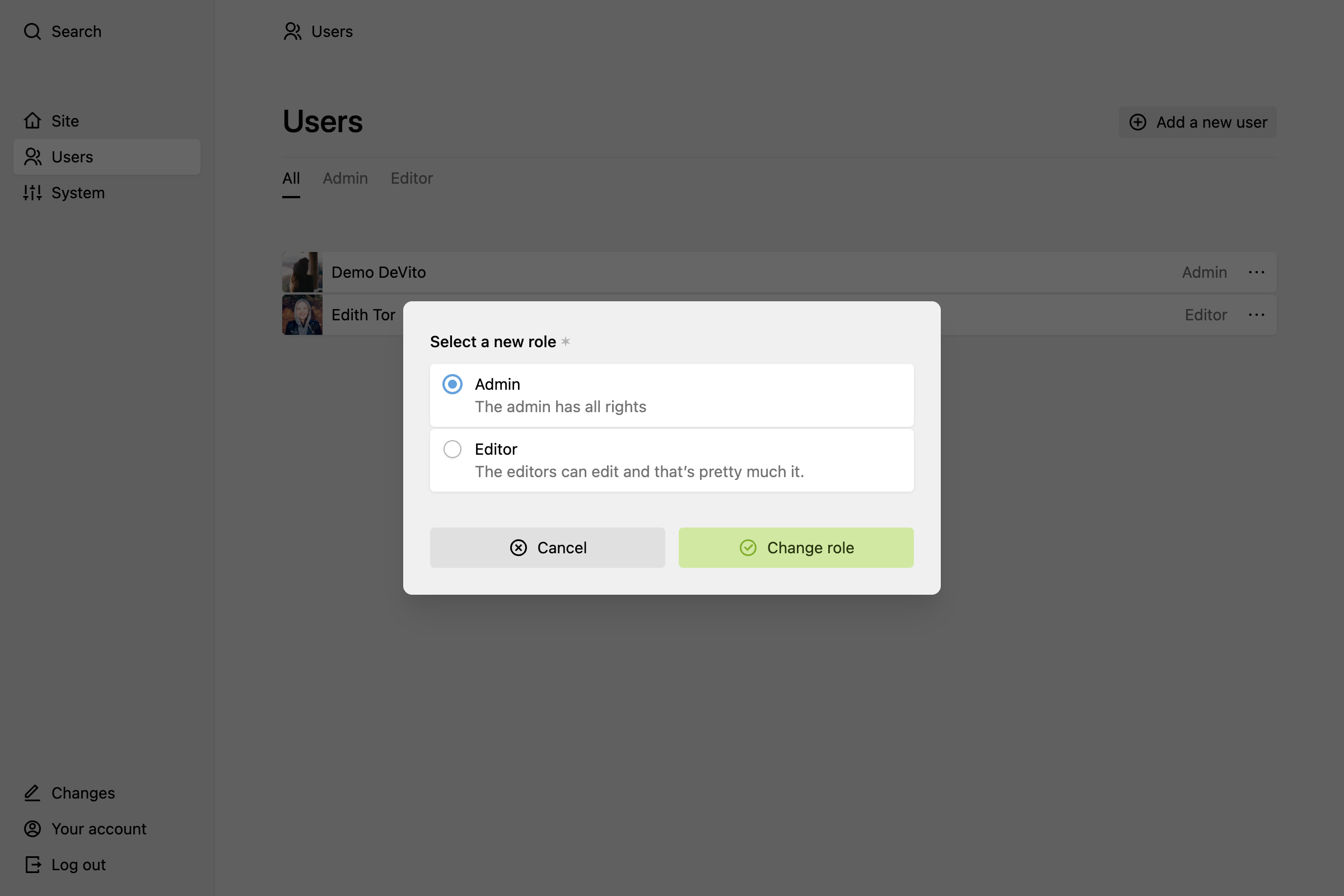
In order to be able to change user roles, you have to <a href="https://getkirby.com/docs/guide/users/roles">create user roles</a> first.
</info>

## Change user password

Passwords must be at least 8 characters long. Make them as strong as possible! We recommend 32+ characters, highly random passwords and a password manager to keep track of them.

<figure class="image"><a data-lightbox href="https://assets.getkirby.com/media/pages/docs/guide/users/managing-users/a944f4ecda-1717846665/change-password.png?width=2400&amp;height=1600&amp;enlarge=0"><img alt="" class="rounded" height="616" loading="lazy" sizes="auto" src="https://assets.getkirby.com/media/pages/docs/guide/users/managing-users/a944f4ecda-1717846665/change-password.png?width=924&amp;height=616&amp;enlarge=0" srcset="https://assets.getkirby.com/media/pages/docs/guide/users/managing-users/a944f4ecda-1717846665/change-password.png?width=462&amp;height=308&amp;enlarge=0 462w, https://assets.getkirby.com/media/pages/docs/guide/users/managing-users/a944f4ecda-1717846665/change-password.png?width=690&amp;height=460&amp;enlarge=0 690w, https://assets.getkirby.com/media/pages/docs/guide/users/managing-users/a944f4ecda-1717846665/change-password.png?width=924&amp;height=616&amp;enlarge=0 924w, https://assets.getkirby.com/media/pages/docs/guide/users/managing-users/a944f4ecda-1717846665/change-password.png?width=1380&amp;height=920&amp;enlarge=0 1380w, https://assets.getkirby.com/media/pages/docs/guide/users/managing-users/a944f4ecda-1717846665/change-password.png?width=1848&amp;height=1232&amp;enlarge=0 1848w" width="924"></a></figure>

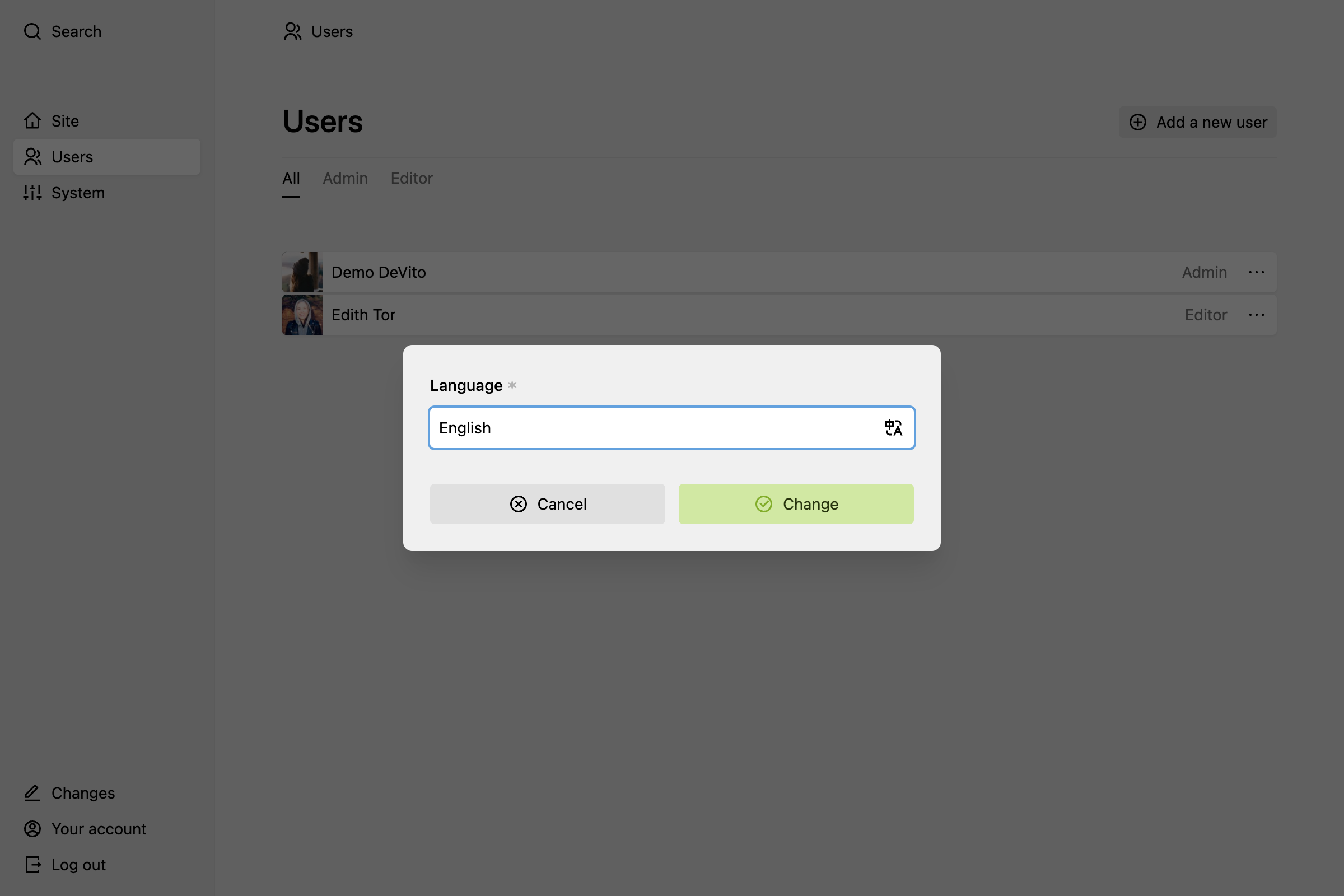
## Change user language

<figure class="image"><a data-lightbox href="https://assets.getkirby.com/media/pages/docs/guide/users/managing-users/73a5f9cfbb-1717846665/change-language.png?width=2400&amp;height=1600&amp;enlarge=0"><img alt="" class="rounded" height="616" loading="lazy" sizes="auto" src="https://assets.getkirby.com/media/pages/docs/guide/users/managing-users/73a5f9cfbb-1717846665/change-language.png?width=924&amp;height=616&amp;enlarge=0" srcset="https://assets.getkirby.com/media/pages/docs/guide/users/managing-users/73a5f9cfbb-1717846665/change-language.png?width=462&amp;height=308&amp;enlarge=0 462w, https://assets.getkirby.com/media/pages/docs/guide/users/managing-users/73a5f9cfbb-1717846665/change-language.png?width=690&amp;height=460&amp;enlarge=0 690w, https://assets.getkirby.com/media/pages/docs/guide/users/managing-users/73a5f9cfbb-1717846665/change-language.png?width=924&amp;height=616&amp;enlarge=0 924w, https://assets.getkirby.com/media/pages/docs/guide/users/managing-users/73a5f9cfbb-1717846665/change-language.png?width=1380&amp;height=920&amp;enlarge=0 1380w, https://assets.getkirby.com/media/pages/docs/guide/users/managing-users/73a5f9cfbb-1717846665/change-language.png?width=1848&amp;height=1232&amp;enlarge=0 1848w" width="924"></a></figure>

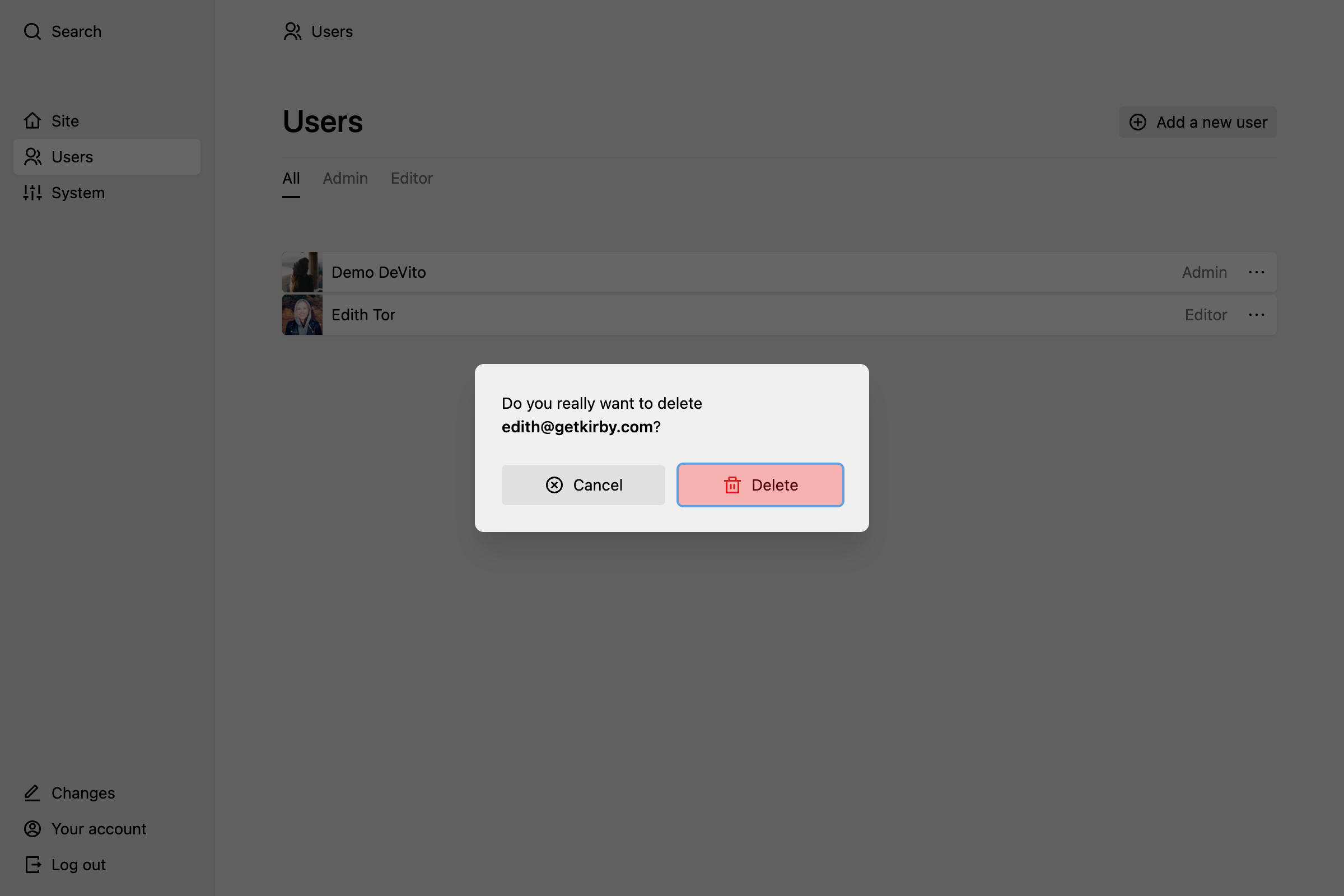
## Delete user

All user accounts except the last one can be deleted.

<figure class="image"><a data-lightbox href="https://assets.getkirby.com/media/pages/docs/guide/users/managing-users/182db1f525-1717846665/delete.png?width=2400&amp;height=1600&amp;enlarge=0"><img alt="" class="rounded" height="616" loading="lazy" sizes="auto" src="https://assets.getkirby.com/media/pages/docs/guide/users/managing-users/182db1f525-1717846665/delete.png?width=924&amp;height=616&amp;enlarge=0" srcset="https://assets.getkirby.com/media/pages/docs/guide/users/managing-users/182db1f525-1717846665/delete.png?width=462&amp;height=308&amp;enlarge=0 462w, https://assets.getkirby.com/media/pages/docs/guide/users/managing-users/182db1f525-1717846665/delete.png?width=690&amp;height=460&amp;enlarge=0 690w, https://assets.getkirby.com/media/pages/docs/guide/users/managing-users/182db1f525-1717846665/delete.png?width=924&amp;height=616&amp;enlarge=0 924w, https://assets.getkirby.com/media/pages/docs/guide/users/managing-users/182db1f525-1717846665/delete.png?width=1380&amp;height=920&amp;enlarge=0 1380w, https://assets.getkirby.com/media/pages/docs/guide/users/managing-users/182db1f525-1717846665/delete.png?width=1848&amp;height=1232&amp;enlarge=0 1848w" width="924"></a></figure>

## Upload a profile picture

On the user's profile page, click on the profile picture to upload or change the image. The uploaded image should be square. Otherwise it will be cropped from the center. Profile images must not be bigger than 2000 x 2000 pixels.